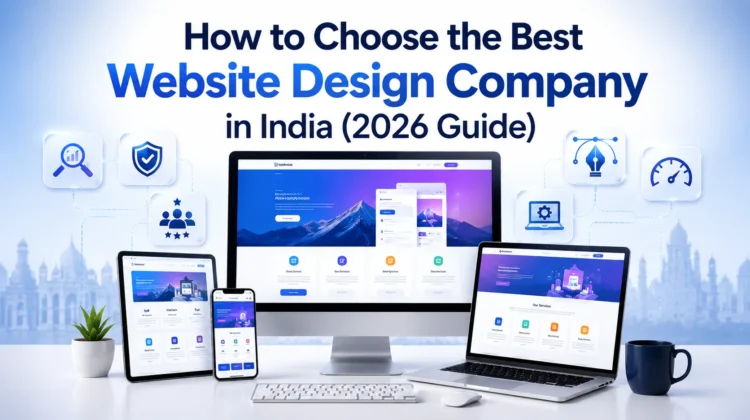
Best Website Design Company in India (2026 Guide): Web Design vs. Web Development Explained
To choose the best website design company in India, you need to look at their portfolio, understand if they provide custom coding or WordPress development, check their SEO and Core Web Vitals expertise, read real client reviews, and ensure they offer transparent pricing without hidden maintenance fees.
Table of Contents
- Introduction
- Why Choosing the Right Website Design Partner Matters in 2026
- What is Website Design? (The Visual & User Experience)
- What is Website Development? (The Engine Under the Hood)
- Website Design vs. Website Development (Detailed Comparison Table)
- Types of Website Design Services
- Types of Website Development Services
- Key Technical Differences Every Business Owner Must Know
- Frontend vs. Backend (With Comparison Table)
- UI vs. UX (User Interface vs. User Experience)
- WordPress vs. Custom Website Development (With Comparison Table)
- Static vs. Dynamic Websites (With Comparison Table)
- Critical Factors for Modern Website Performance
- Responsive Design & Mobile-First Indexing
- Website Speed, Performance & Core Web Vitals
- Technical SEO & Schema Markup
- Web Accessibility (WCAG Compliance)
- Website Security (HTTPS, SSL, & Firewalls)
- Cost & Timeline Analysis for Indian Businesses
- DIY Website Builders vs. Professional Agency (With Comparison Table)
- Industry Best Tools & Technologies Used in 2026
- Common Pitfalls When Hiring a Web Agency in India
- Step-by-Step Checklist to Choose the Best Website Design Company in India
- Real-World Case Study: How a Local Indian Business Scaled 300%
- Frequently Asked Questions (FAQ Schema Ready)
- Internal Linking & External Resource Guide
- Conclusion & Call-to-Action
Introduction
आज के digital-first दौर में, आपकी website केवल एक online card नहीं है। यह आपकी sales team का सबसे active member है जो बिना थके 24 घंटे काम करता है। चाहे आप Delhi, Mumbai, Bengaluru में एक dynamic startup चला रहे हों, या Jaipur, Surat, Cochin में एक traditional business, या फिर एक worldwide export organization—आपकी website ही यह तय करती है कि customer आप पर भरोसा करेगा या नहीं।
जब एक business owner Google या AI Search engines पर “Best Website Design Company“ या “Website Development Services” search करता है, तो उसके सामने हज़ारों options आते हैं। लेकिन सबसे बड़ी दिक्कत यह है कि ज़्यादातर लोगों को Website Design और Website Development के बीच का अंतर ही नहीं पता होता।
इस comprehensive guide में, हम इन सभी technical terms को आसान हिंदी में समझेंगे, उनके अंतर को जानेंगे, और यह सीखेंगे कि 2026 में अपने business के लिए सही Agency का चुनाव कैसे करें।
Why Choosing the Right Website Design Partner Matters in 2026
अगर आपकी website open होने में 3 seconds से ज़्यादा का समय लेती है, तो 50% से ज़्यादा users उसे छोड़ कर चले जाते हैं। इसे Google की भाषा में high Bounce Rate कहते हैं। 2026 में, AI-powered Search Engines (जैसे Google AI Overviews, Perplexity, और ChatGPT Search) केवल उन्हीं websites को search results में ऊपर लाते हैं जो:
- Fast Load होती हैं (Core Web Vitals पर pass होती हैं)।
- Mobile-Friendly होती हैं (Responsive Design)।
- Secure होती हैं (HTTPS Enabled)।
- High-Quality, User-Focused Content provide करती हैं।
गलत agency का चुनाव करने से न केवल आपके पैसे बर्बाद होते हैं, बल्कि आपका business brand value और online presence भी खो देता है। इसीलिए, आपको एक ऐसे partner की ज़रूरत है जो design और development दोनों में माहिर हो।
What is Website Design? (The Visual & User Experience)
Website Design का मतलब है कि आपकी website दिखने में कैसी होगी (Visual Aesthetics) और users उसके साथ कैसे interact करेंगे (User Experience – UX)।
एक Web Designer का काम website की layout, color scheme, typography, images, buttons, और navigation flow को design करना होता है। इसके लिए वे Figma, Adobe XD, Photoshop जैसे tools का इस्तेमाल करते हैं।
Key Elements of Website Design:
- UI Design (User Interface): Website के visual elements जैसे buttons, spacing, colors और fonts।
- UX Design (User Experience): User journey को आसान बनाना ताकि visitors बिना किसी परेशानी के contact form भर सकें या product खरीद सकें।
- Graphic Design: Icons, illustrations, और custom images जो brand message को clear करती हैं।
What is Website Development? (The Engine Under the Hood)
Website Development का मतलब है उस design को code के ज़रिए एक working website में बदलना। यह website का backend system होता है जिसे user देख नहीं सकता, लेकिन उसके बिना website काम नहीं कर सकती।
Web Developers coding languages जैसे HTML, CSS, JavaScript, PHP, Python, Next.js, React, और Laravel का इस्तेमाल करके website को interactable और functional बनाते हैं।
Key Elements of Website Development:
- Frontend Development: UI design को interactive browser-ready code (HTML/CSS/JS) में बदलना।
- Backend Development: Database management, servers, user login systems, payment gateway integration, और APIs को handle करना।
- CMS Integration: WordPress, Shopify, या custom platforms के ज़रिए non-technical users के लिए content update करना आसान बनाना।
Website Design vs. Website Development (Detailed Comparison Table)
यहाँ एक clear side-by-side comparison दिया गया है ताकि आप दोनों के अंतर को अच्छी तरह समझ सकें:
| Feature/Metric | Website Design (वेबसाइट डिज़ाइन) | Website Development (वेबसाइट डेवलपमेंट) |
|---|---|---|
| Primary Focus | Visual layout, color psychology, and user experience (UX). | Coding, logic, database interaction, and features. |
| Key Professionals | UI/UX Designers, Graphic Designers, Brand Strategists. | Frontend Developers, Backend Developers, Full-Stack Engineers. |
| Primary Tools Used | Figma, Adobe XD, Sketch, Photoshop, Illustrator. | VS Code, Git, GitHub, MySQL, Postman. |
| Core Languages | CSS styling concepts (Visual framework alignment). | HTML, CSS, JavaScript, PHP, React, Node.js, Python. |
| User Interaction | what the user sees and feels (Layout flow). | How the website works (Database calls, actions, checkout). |
| Search Engine Role | Focuses on engagement rate, bounce rate, and visual hierarchy. | Focuses on speed optimization, Core Web Vitals, and indexing. |
Types of Website Design Services
जब आप किसी Best Website Design Company से बात करते हैं, तो वे आपकी requirement के हिसाब से अलग-अलग design options offer करते हैं:
1. UI UX Design (User Interface & User Experience)
यह product launch करने से पहले user path build करने का process है। Figma prototypes की मदद से user flow design किया जाता है ताकि user directly lead form तक पहुँच सके (जिसे CRO – Conversion Rate Optimization कहते हैं)।
2. Responsive Website Design
आज 70% से अधिक traffic mobile users से आता है। Responsive design यह ensure करता है कि आपकी website Mobile, Tablet, Laptop, और Desktop स्क्रीन पर perfectly scale हो जाए।
3. Landing Page Design
यदि आप Google Ads, Meta Ads (Facebook/Instagram), या LinkedIn Ads रन कर रहे हैं, तो आपको एक focused conversion-oriented single page की ज़रूरत होती है। Landing Page Design का मुख्य उद्देश्य sales या lead generation बढ़ाना होता है।
4. Website Redesign Services
अगर आपकी website 3-4 साल पुरानी हो चुकी है और modern browsers पर slow चलती है, तो Website Redesign Services के ज़रिए उसका UI/UX upgrade किया जाता है और code optimization करके उसे faster बनाया जाता है।
Types of Website Development Services
Business requirements के आधार पर development services को निम्नलिखित श्रेणियों में विभाजित किया जा सकता है:
1. Custom Website Development
जब आपकी unique requirements हों (जैसे customized business software, CRM integrations, real estate listings portals, or custom booking engines) जो standard WordPress plugins से पूरी नहीं हो सकतीं, तब Custom Web Development (Laravel, React, Node.js) का उपयोग किया जाता है।
2. WordPress Development
दुनिया की 43% से ज़्यादा websites WordPress पर बनी हैं। यह Small and Medium Enterprises (SMEs) और content creators के लिए सबसे scalable, easy-to-use, और cost-effective platform है।
3. Ecommerce Website Development
अगर आप online products बेचना चाहते हैं, तो WooCommerce, Shopify, या Magento पर dynamic e-commerce portals बनाए जाते हैं। इसमें safe checkouts, tax calculators, multi-currency display, SMS alert setup, and automated billing interfaces integrated होते हैं।
4. Corporate Website Development
बड़ी कंपनियों, MNCs, Manufacturing units, CA firms, और colleges के लिए high-end professional websites, जहाँ multiple user access controls, careers section, brand assets management, और secure corporate portals की आवश्यकता होती है।
Key Technical Differences Every Business Owner Must Know
Frontend vs. Backend (With Comparison Table)
Frontend और Backend मिलकर एक complete website बनाते हैं।
| Metric | Frontend Development | Backend Development |
|---|---|---|
| Location | Client-Side (User के system/browser पर run होता है) | Server-Side (Website hosting server पर run होता है) |
| Technologies | HTML5, CSS3, JavaScript, React.js, Next.js, Bootstrap | PHP, Node.js, Python, Laravel, Express, MongoDB, MySQL |
| Function | Visual structure, responsiveness, transitions, animations | Server security, database queries, logic operations, system actions |
| Example | Form का design और interactable button | Form submit करने पर user details को database में save करना |
UI vs. UX (User Interface vs. User Experience)
- UI (User Interface): “यह कैसा दिखता है।” इसमें colors, backgrounds, text fields, buttons, animation graphics, और page aesthetic properties शामिल हैं।
- UX (User Experience): “यह कैसे काम करता है और user को कैसा feel होता है।” क्या navigation menu ढूँढना आसान है? क्या contact form fill-up process effortless है? क्या page levels structured हैं? यह सब UX designer का काम होता है।
WordPress vs. Custom Website Development (With Comparison Table)
| Feature | WordPress CMS Development | Custom Development (React / Laravel / PHP) |
|---|---|---|
| Cost | Budget-friendly & affordable. | High investment required. |
| Development Time | Short (Typically 1 to 3 weeks). | Long (Takes several weeks to months). |
| Customizability | Theme based layouts (Customizations have limits). | Unlimited flexibility (Code written from scratch). |
| Security | Requires regular plugin updates to stay safe. | Highly secure as there are no public plugins. |
| Scalability | Good for standard blogs, business websites, and small stores. | Extremely high, built for heavy traffic and custom features. |
Static vs. Dynamic Websites (With Comparison Table)
| Aspect | Static Website | Dynamic Website |
|---|---|---|
| Definition | Plain HTML codes that remain static for all visitors. | Database-connected, content changes in real-time. |
| Database Connection | No database connected. | Connected to database (MySQL, PostgreSQL, etc.). |
| Admin Panel (CMS) | No admin panel. Hard-coded. | Admin dashboard available (WordPress/Custom Panel). |
| Ideal For | Basic brochures, portfolios, profile landing pages. | E-commerce, blogs, real estate, booking, directory portals. |
| Initial Cost | Very Low. | Medium to High. |
Critical Factors for Modern Website Performance
2026 में, केवल एक “सुंदर” website होना काफी नहीं है। SEO optimization, conversions, और platform performance के लिए निम्नलिखित तकनीकी मापदंडों पर पूरा ध्यान देना अनिवार्य है:
Responsive Design & Mobile-First Indexing
Google अब mobile first verification policy का उपयोग करता है। इसका मतलब है कि Googlebot सबसे पहले आपकी website के mobile version को crawls और checks करता है। यदि आपकी desktop site बहुत अच्छी है लेकिन mobile response laggy है, तो आपकी high organic keywords ranks चली जाएगी।
Website Speed, Performance & Core Web Vitals
Core Web Vitals वास्तविक user experience metrics को measure करते हैं:
- LCP (Largest Contentful Paint): Main block loading speed (Ideally under 2.5 seconds).
- INP (Interaction to Next Paint): Interaction delays (Ideally under 200ms).
- CLS (Cumulative Layout Shift): Page elements shifts loading के समय (Ideally under 0.1).
Google PageSpeed Insights पर score हमेशा mobile पर 90+ होना चाहिए।
[User Action] ---> (Click Link) ---> [Fast Server Response] ---> [LCP < 2.5s] ---> [Engaged User]Technical SEO & Schema Markup
आपकी development agency को standard technical optimization features manage करने चाहिए:
- Robots.txt & XML Sitemap creation
- JSON-LD Schema Markup Integration (Local Business, Product, FAQ, breadcrumb schema)
- SEO Friendly URL Structures (e.g.,
domain.com/services/web-development) - Proper Heading Hierarchy (H1 used only once per page, logical flow using H2, H3, H4)
Web Accessibility (WCAG Compliance)
आपकी website सभी के लिए accessible होनी चाहिए—जिसमें disabled persons भी शामिल हैं। Keyboard navigation options, high contrast values, and image standard alt text fields ensure करते हैं कि आपकी digital assets globally legally strong और readable रहें।
Website Security (HTTPS, SSL, & Firewalls)
बिना SSL Certificate (https://) के browsers user को “Not Secure” alert notification दिखाते हैं, जिससे 99% users back out कर लेते हैं। Secure frameworks और custom login firewalls setup करना highly recommended है।
Cost & Timeline Analysis for Indian Businesses
यहाँ एक realistic cost index दिया जा रहा है जो Indian business environment में standard professional rates को दर्शाता है:
| Service Type | Cost Range (INR) | Delivery Timeline | Ideal For |
|---|---|---|---|
| Single Page Landing Page | ₹5,000 – ₹12,000 | 2 – 4 Days | Lead generation, Google/Meta Ads campaigns, startup validation. |
| WordPress Business Website | ₹15,000 – ₹35,000 | 7 – 15 Days | Small to medium business setups, consultants, local service providers. |
| Custom E-commerce Store | ₹45,000 – ₹1,20,000+ | 3 – 6 Weeks | Online retail stores, multi-product businesses, custom cart rules. |
| Corporate Custom Portal | ₹80,000 – ₹2,50,000+ | 4 – 10 Weeks | MNCs, heavy traffic portals, manufacturing, custom API integrations. |
DIY Website Builders vs. Professional Agency
क्या आपको Wix, Squarespace, Canva builders पर खुद website बनानी चाहिए या एक professional agency hire करनी चाहिए?
| Feature | DIY Website Builders (Wix / Canva) | Professional Digital Agency |
|---|---|---|
| Technical Knowledge | No coding required, easy drag-and-drop. | Deep knowledge of coding, optimization & architecture. |
| SEO Capabilities | Very basic. Hard to rank on high-volume keywords. | Advanced SEO customization, schema, clean speed codes. |
| Ownership | Locked to their system platform. Monthly rentals. | 100% Code and data ownership on your hosting server. |
| Customizations | Limited by template constraints. | Endless customization possibilities based on requirements. |
| Scalability | Poor. Slows down with database size increments. | Highly scalable as business grows. |
Industry Best Tools & Technologies Used in 2026
- Design Prototypes: Figma, Sketch, Adobe XD, Illustrator
- Frontend Technologies: HTML5, CSS3, Tailwind CSS, JavaScript (ES6+), ReactJS, Next.js
- Backend & API Frameworks: Laravel, PHP, Node.js, Python Django
- E-Commerce Engines: WooCommerce, Shopify, Magento 2
- Analytic suites: Google Analytics (GA4), Hotjar (Heatmaps), Google Search Console (GSC)
Common Pitfalls When Hiring a Web Agency in India
कई business owner कम कीमत के चक्कर में गलत agency चुन लेते हैं और बाद में परेशान होते हैं। इन गलतियों से बचें:
- Choosing solely based on lowest quotation: “₹1,999 में वेबसाइट” जैसी offers से बचें। वे static, unoptimized, security vulnerabilities से भरी templates copy करके दे देते हैं जो कभी rank नहीं करतीं।
- No ownership of domain & hosting: हमेशा Domain Registration और Hosting account अपने business name पर लें। कुछ agencies ownership control अपने पास रख लेती हैं और बाद में high charges demand करती हैं।
- Ignoring Mobile Responsiveness & Speed: Launch से पहले check करें कि website mobile पर properly respond कर रही है या नहीं।
- No Maintenance Contract (AMC): Website functions live server modifications के कारण break हो सकते हैं। इसलिए, transparent website maintenance terms highly dynamic support services के लिए essential हैं।
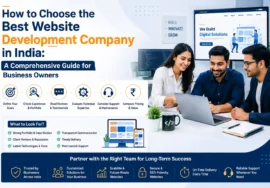
Step-by-Step Checklist to Choose the Best Website Design Company in India
सही agency चुनने के लिए इस practical parameters checklist का उपयोग करें:
- Step 1: क्या उनके पास strong portfolio showcases हैं? (उनके past clients’ projects live check करें।)
- Step 2: क्या वे real clients के reviews (Google Business Profile, Clutch, Trustpilot) verify कराते हैं?
- Step 3: क्या वे custom designs compile करते हैं, या simple ready-made themes load करते हैं?
- Step 4: क्या उनके dynamic website developments Core Web Vitals speed limits parameters clear करते हैं?
- Step 5: क्या source code, graphic modules, design layouts, login details 100% client owned होंगे?
- Step 6: क्या deliverables complete scope document pricing breakdowns transparently layout करते हैं?
Real-World Case Study: How a Local Indian Business Scaled 300%
The Client: Karan Packers and Movers (Delhi NCR operating branch)
- Problem: Client के पास एक outdated HTML website थी। Website loaders delay 6.2 seconds था। Mobile experience screen limits properly setup नहीं थीं, जिससे dynamic conversions very poor (0.5% conversion rates) थीं।
- The Strategy implemented by ShivWebsIndia:
- Figma layout prototyping के ज़रिए clear, high-trust custom dynamic visuals build किए गए।
- WordPress custom development pipeline optimize की गई। Fast-loading scripts framework setup किया गया।
- Schema micro-formatting integration structure dynamically load किया गया।
- Call-To-Actions (CTAs) conversion flow metrics setup optimal paths पर map किए गए।
- The Result:
- Load time reduced to 1.4 seconds.
- Mobile optimization increased usability dynamic conversions up by 300%.
- Organic visibility index skyrocketed across Delhi, Gurgaon, Noida markets in 90 days.
Frequently Asked Questions (FAQ)
Q1. What is Website Design?
Website Design का संबंध website के बाहरी रूप-रंग (visual elements), styling layout aesthetics, colors, custom structures layouts, typography style patterns, formatting elements, and functional UX flow structures से है जो visual users interface interaction metrics को manage करता है।
Q2. What is Website Development?
Website Development उस static visual structural design frames layout logic patterns को computer programs framework codes (HTML, PHP, CSS, React components scripts) के माध्यम से live functional actions execution programs modules में develop करने की logic method है।
Q3. What is the difference between Web Design and Web Development?
Web Design visuals layout aesthetics interface patterns elements control करता है। इसके विपरीत Web Development database configuration operations, logical modules execution scripts, clean structural dynamic coding, dynamic framework systems control functions execute करता है।
Q4. Which one does my business need – Design or Development?
एक successful complete operational active web presence launch करने के लिए आपको Website Design (Visual representation layout patterns) और Web Development (Logical functions frameworks dynamic features) दोनों processes की essential needs होती हैं।
Q5. Which platform is best for business website construction in 2026?
Small and Medium Enterprises (SMEs) के लिए WordPress CMS platforms highly optimized efficient, secure, and user-friendly platforms माने जाते हैं। Dynamic SaaS tools portals, scalable operations architectures development requirements setups के लिए customized coding (Next.js/React/Laravel frameworks) best results provide करती हैं।
Q6. Is WordPress good for business setups?
हाँ, WordPress high SEO friendliness, extreme ease-of-use functionalities, customized plugins architectures, fast execution options, low development cost values, and 100% scalable operational designs के कारण complete setups creation के लिए top choice standard system माना जाता है।
Q7. How much does a professional website design cost in India?
India में professional designs structure starting ₹15,000 for fundamental dynamic setups, and high-end customized e-commerce operations features applications reach ₹1,20,000+ level setups, depending upon custom needs and functionalities integration scope structures.
Q8. What is Responsive Web Design?
Responsive Design layouts automatic screen-size adaptability process manage करता है। इससे responsive page components, pictures values, layouts configurations without rendering breaks Android mobile, iPhone tablets, Desktop, big smart LED monitors standard views deliver करते हैं।
Q9. Why is Core Web Vitals optimization crucial?
Google searches higher positions rankings update evaluation metrics setups for speed indexes, interaction shifts standards. Core Web Vitals dynamic performance levels maintain healthy system visibility ratings scores under fast dynamic parameters standards.
Q10. What is UI (User Interface) in web architecture?
UI actual interface controls, icons layout formats, screens displays, design typography selection styles, action buttons placement settings visual alignment levels configure करता है, जिससे interaction looks display optimized levels match करें।
Q11. What is UX (User Experience) in web development?
UX visual layout logical process flow, quick systems responses metrics logic sequences coordinate करता है। UX का मुख्य उद्देश्य simple paths creation, quick dynamic operations completion parameters smooth layouts ensure करना है।
Q12. Can a single web master perform both design and coding operations?
हाँ, single developers modules experts codes (Full-Stack visual resources builders designers) are available. Large, high-end, clean results oriented campaigns projects usually hire professional specialized teams for better quality control.
Q13. How long does it take to build a complete standard business portal?
Standard informative content layouts websites take 1 to 3 weeks time range execution. High-end platforms database structures custom features validation checkups standard testing take 6 to 12 weeks duration schedules for production execution.
Q14. What are Web Security best practices standard measures?
Safe operational measures include active integration of premium system Firewalls, SSL Certificate Installations (HTTPS connections settings configurations), Custom Admin Paths renaming settings checks, non-standard user file upload bans validation, regular platform frameworks update setups.
Q15. Why should my web pages pass accessibility testing checklists?
Accessibility systems validation (WCAG models standards checklist) helps disabled visitors read, screen read software machines parse contents, logical structure levels correctly, dynamic site ranks score improvements high user usability metrics delivery.
Q16. What is Custom Web Development architecture?
Custom Web development scratch codes patterns structure creations framework logical layers programming configurations designs directly standard custom levels models features maps create करता है. No templates boundaries applied here.
Q17. How do search engines evaluate high quality mobile websites?
Search Engines inspect code standards on simulated smart interfaces, speed indexes elements checks, responsive font scalability checks, and safe distance element links touches targets layout models checks execute करते हैं।
Q18. What are common dynamic features of Corporate Web Developments?
Corporate requirements setups incorporate safe multiple roles authorization control structures, career boards pipelines integration models, real-time products tracking modules dashboards, internal business files portal links repositories.
Q19. How frequently do we require full website redesign maintenance models?
Industry market aesthetics parameters shift rapid development iterations circles. Generally updates, UI optimizations checkups, structural system redesign schedules are recommended every 3 to 4 years lifecycle range.
Q20. What is the SEO impact of custom semantic layout structuring?
Proper headings arrangements patterns values hierarchy (H1, H2, H3 tags alignment elements, structured schema labels definitions tags codes placements configurations) search engine machines crawl logic setups properly match up, giving positive boosts.
Q21. Do I get complete access keys ownership setups after completion?
Yes, choosing reliable agencies ensure they supply complete Admin portals login control credentials codes files repositories transfers, direct access licenses key registrations parameters back up assets data under your custody models.
Q22. How do Landing pages optimization convert more target customers?
Landing pages contain precise targeted sales models presentations, distinct fast forms configurations parameters alignments, explicit user focused pain points resolutions copies with direct active call actions buttons conversions flow routes optimized.
Q23. Why is PageSpeed loading speed values are highly critical today?
Today busy users don’t wait. A fast page (under 2 seconds) cuts bounce rates, increases average session durations, raises client query generation metrics, and triggers higher brand retention indexes.
Q24. What are key differences between Shopify and WooCommerce?
Shopify is fully hosted subscription-driven platforms cloud base engine. WooCommerce is open source WordPress dynamic shopping plugins architectures integrations providing full custom coding integrations freedoms with Zero recurring cloud access charges.
Q25. Why is HTTPS connection validation important for transactions setups?
Encrypts interactions, customer personal parameters, payment fields secure pathways, blocks modern attacks risks, shows lock symbols browser tabs validation indicators confirming highly secure server setups.
Internal Linking & External Resource Guide
Recommended Internal Linking Strategies:
- अगर आप business को expand कर रहे हैं, तो हमारी guide Website Design Services ज़रूर देखें।
- E-commerce business setups optimization guidelines के लिए, explore our Ecommerce Website Development guide.
- Local target customer reach increases करने के लिए, check out our insights on Local SEO Services.
Highly Trusted External Reference Links:
- Google Search Central: Mobile-First Indexing Best Practices
- W3C Web Accessibility Standards Guidelines (WCAG)
- WordPress Open-Source Development Center
Conclusion & Call-to-Action
आपकी website आपकी business branding की रीढ़ की हड्डी है। एक साधारण सी दिखने वाली गलती या कुछ पैसे बचाने के चक्कर में एक outdated design आपकी brand value और sales को भारी नुकसान पहुँचा सकती है।
2026 में, यदि आप एक SEO-friendly, high-converting, clean coded, और super-fast responsive website बनवाना चाहते हैं, तो ShivWebsIndia आपकी सहायता के लिए तैयार है।
हमारी expert design और development team आपके business requirements को analysis करके custom solutions develop करती है जो Google, Gemini, ChatGPT search queries, और real human users—दोनों को बेहद पसंद आती है।
Ready to Build a Highly Professional Website?
Contact ShivWebsIndia Today!
- Website: www.shivwebsindia.com
- Email: info@shivwebsindia.com
- Schedule a Free Consultation Call: +91-8667666429(Get expert custom layout plans completely free!